Matcha journal · brew timer · tin tracker

A quiet, on-device companion for the matcha you already make

Thirty curated recipes, a guided brew timer, a journal for every bowl, and a tin tracker that knows when your matcha is past its prime. No accounts, no ads, no cloud. Your practice stays yours.

  • Free, fully functional
  • No account
  • No ads or tracking
  • iPhone & iPad
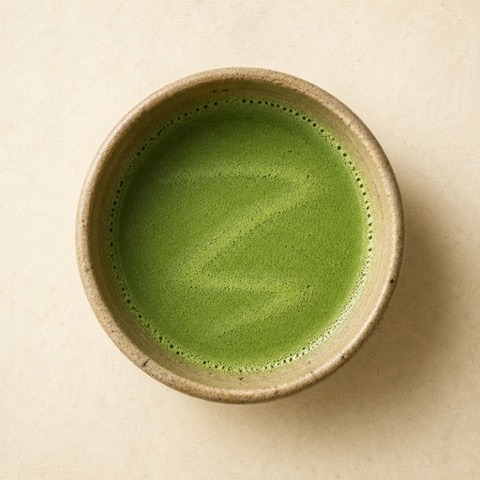
Matcha Almanac app icon: freshly whisked matcha in a cream ceramic bowl
Matcha Almanac 1.0 — by indie developer Mobin Akhter
30 recipes
60–80°C timer window
6-axis taste rating

The matcha world rarely puts these in one place

Real recipes, accurate brewing, honest tracking, and clean design. Matcha Almanac is built around those four ideas — nothing else.

Without it

  • Ratios scattered across screenshots, bookmarks, and guesses
  • Kettle water that scorches the leaf and turns the bowl bitter
  • Tins that quietly fade months after opening
  • No memory of which blend, ratio, or temperature you actually liked

With Matcha Almanac

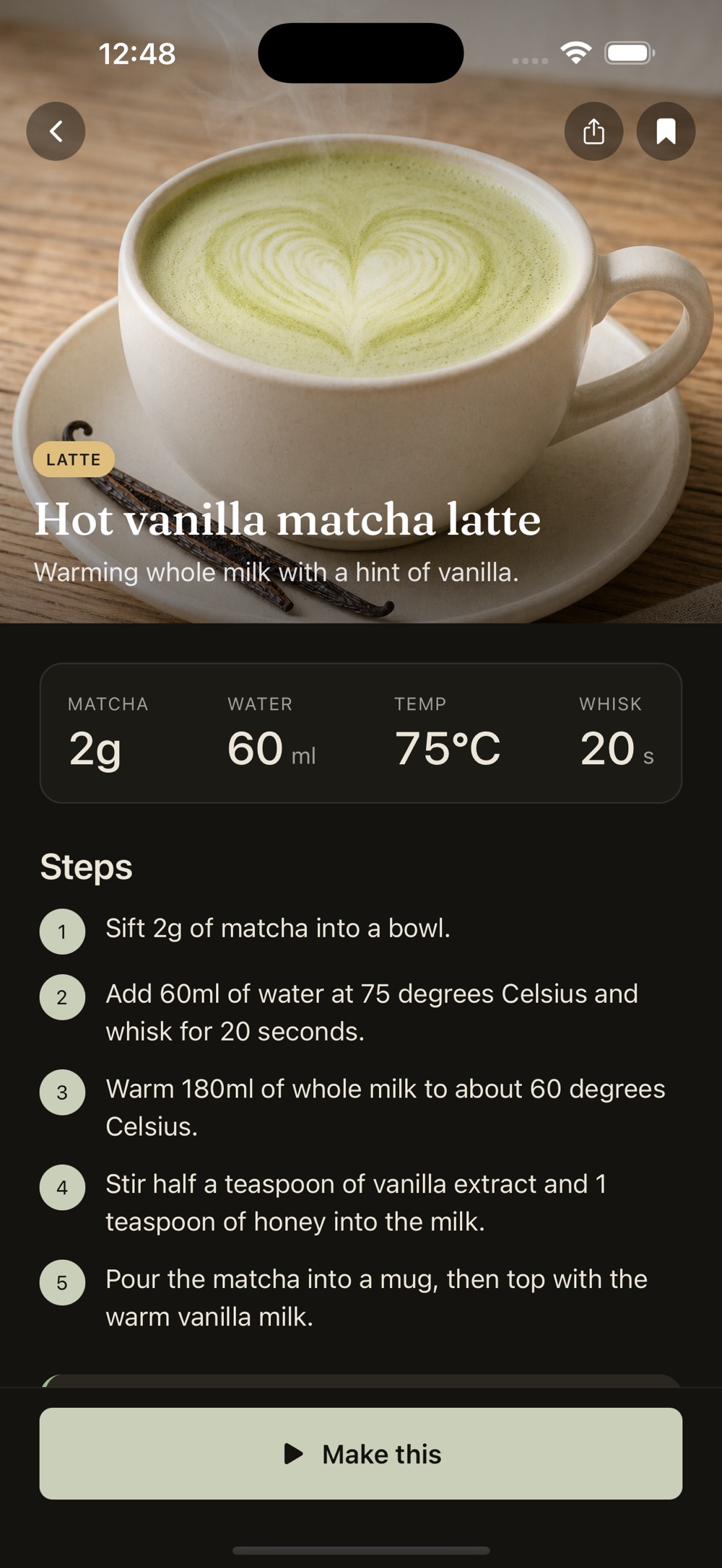
  • Thirty tested recipes with exact grams, milliliters, temperature, and whisk time
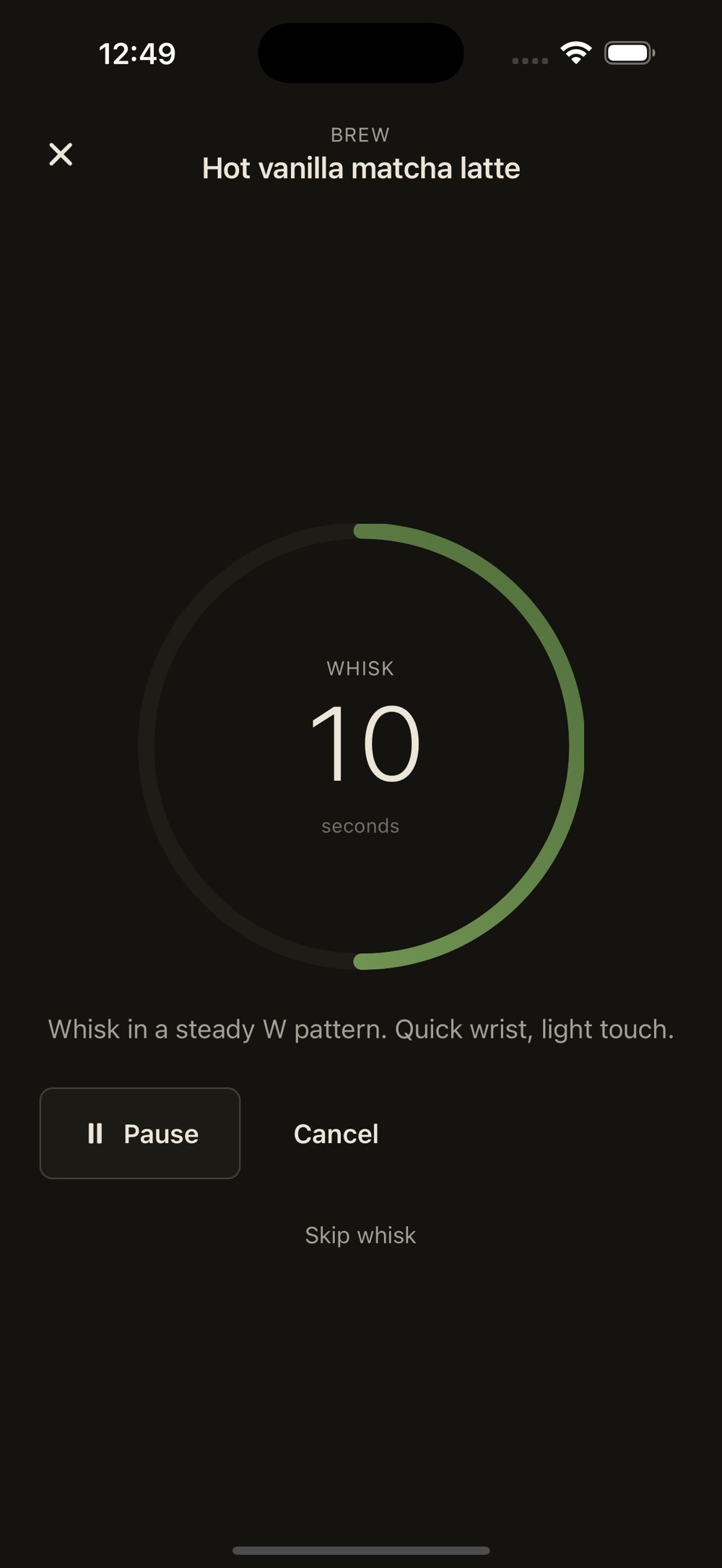
  • A guided timer that respects the 60–80 °C window protecting L-theanine
  • Freshness countdowns at the 60, 75, and 90-day marks after opening
  • A journal that remembers every bowl — tin, recipe, and tasting notes

Four pillars, no padding

Thirty recipes, tested against respected sources

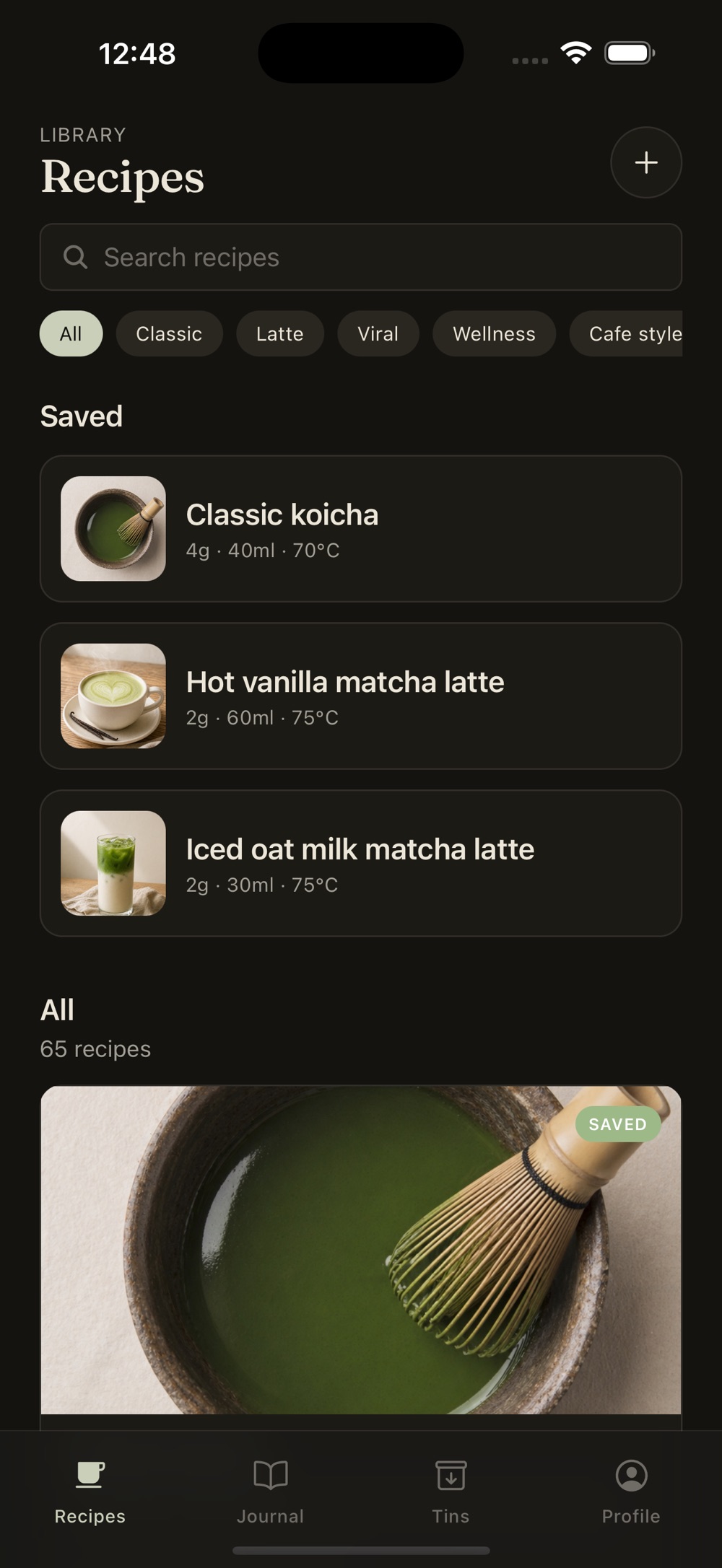
Usucha and koicha at correct ratios. Hot lattes, iced lattes, cortados, affogatos, summer iced builds, and a small handful of viral cafe-style drinks — each with grams, milliliters, water temperature, whisk time, and step-by-step instructions. Ratios tested against Hugo Tea, Jade Leaf, Mizuba, and other respected sources. Save your own recipes too, with photos.

Guided brew timer

A multi-step ring walks you through sifting, blooming, whisking, and finishing. Background-safe, so it survives switching apps to grab the kettle. Haptic ticks at the right moments. Quiet by default, cancellable any time.

Tin & pantry tracker

Log tins by brand, blend, grade, origin, and harvest date. The freshness countdown flags the 60, 75, and 90-day marks after opening. Grams remaining auto-deduct as you brew, and cost per bowl is computed from what you paid.

A journal that remembers

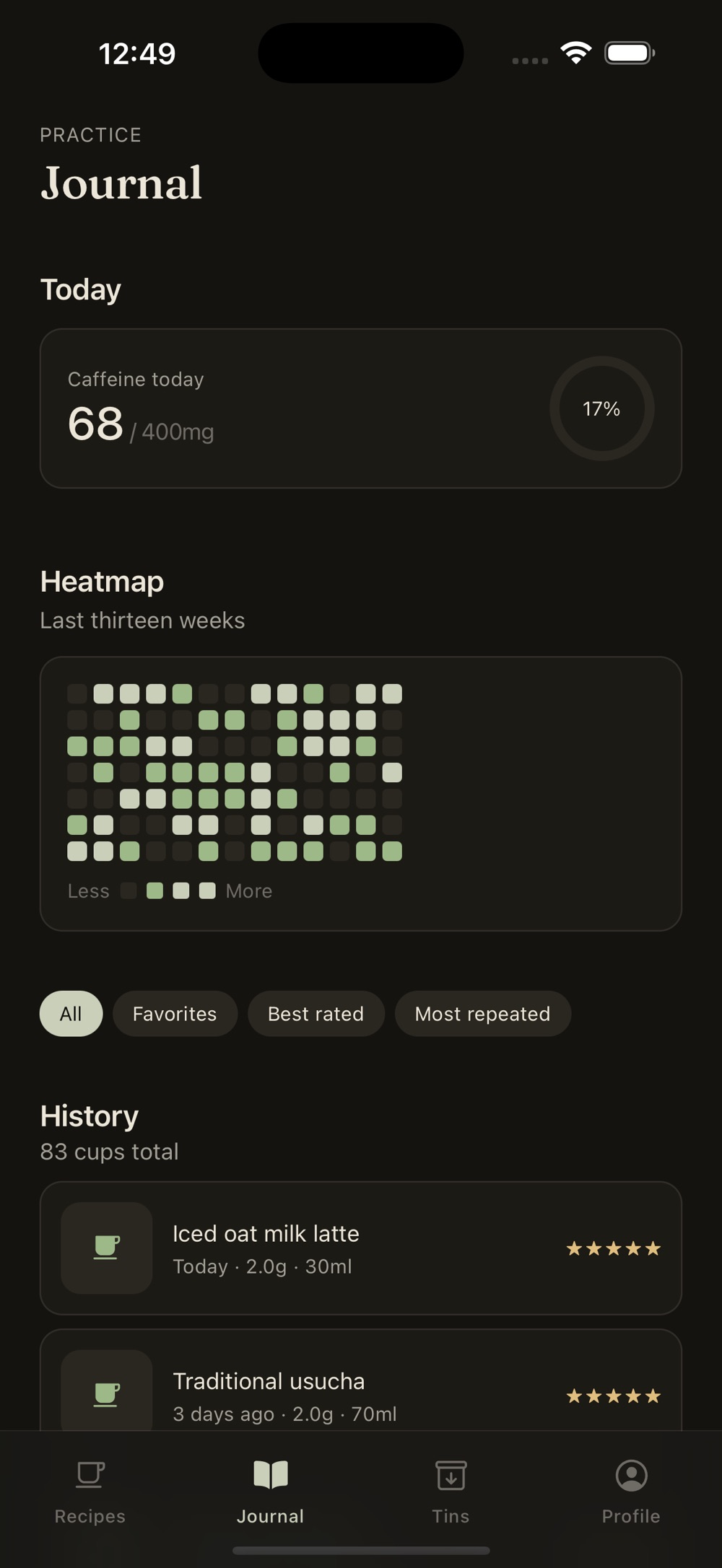
Every brew is logged with the tin used, the recipe followed, and your tasting notes. A six-axis rating captures umami, sweet, bitter, creamy, foam, and color. A calendar heatmap shows the rhythm of your practice over months.

Tools you will actually use

Ratio calculator

Hot or iced, latte or straight, weak, medium, or strong — the calculator handles the math so the bowl comes out right.

Caffeine ring

A daily caffeine ring with a configurable cap keeps an honest count of your day.

Cost per cup

See what your home brews really cost, compared to the cafe down the street.

Glossary of 30 terms

From chasen to chashitsu — with the things they are also called.

Brewing guide

Ten readable cards covering the fundamentals of an accurate brew.

Built for iPad too

A real iPad layout — not a stretched phone — with pointer and hardware keyboard support.

Local-first, by design

Everything lives on your device. There is no account to create, no cloud sync, no analytics, no crash reporting, no ads, and no tracking. You can export your data to JSON or CSV at any time — it is yours.

  • No account
  • No cloud sync
  • No analytics
  • No crash reporting
  • No ads
  • No tracking
  • JSON & CSV export

Accessibility is treated the same way: Reduced Motion, Reduced Transparency, Bold Text, Dynamic Type up to AX5, and VoiceOver are all supported.

Free with optional Matcha Almanac Pro

The free app is fully functional. Pro is for people who want unlimited everything and the deeper analytics.

Pro is a weekly or yearly auto-renewing subscription, or a one-time lifetime purchase that never renews.
Included free Unlocked by Pro
Thirty curated recipes with full instructions Unlimited custom recipes
Guided, background-safe brew timer Unlimited journal entries and unlimited active tins
Journal, tin tracker, ratio calculator, glossary, brewing guide Six-axis taste sliders, calendar heatmap, cost-per-cup view, caffeine ring with configurable cap
Everything stored on-device, no account Premium share card templates, JSON and CSV export

Frequently asked questions

Is Matcha Almanac free?

Yes. The free app is fully functional. An optional Matcha Almanac Pro upgrade unlocks unlimited custom recipes, unlimited journal entries, unlimited active tins, the six-axis taste sliders, the cost-per-cup view, the caffeine ring with a configurable daily cap, the calendar heatmap, premium share card templates, and JSON and CSV export.

Do I need to create an account?

No. There is no account to create and no cloud sync. Everything — recipes, journal entries, tins — lives on your device.

Does Matcha Almanac track me or show ads?

No. The app has no analytics, no crash reporting, no ads, and no tracking. It is local-first by design, and you can export your data to JSON or CSV at any time.

How is Matcha Almanac Pro priced?

Pro is offered as a weekly auto-renewing subscription, a yearly auto-renewing subscription, or a one-time lifetime purchase that does not auto-renew. Subscriptions renew unless auto-renew is turned off at least 24 hours before the end of the current period, and can be managed in your Apple ID account settings.

Where do the recipes and ratios come from?

The thirty recipes were tested against ratios from Hugo Tea, Jade Leaf, Mizuba, and other respected sources. Every recipe lists grams, milliliters, water temperature, whisk time, and step-by-step instructions, and the brew timer respects the 60–80 °C window that protects L-theanine.

Does it work on iPad and Android?

Matcha Almanac is built for iPhone and iPad (iOS 15.1 or later) with a real iPad layout that is pointer and hardware-keyboard friendly, and it supports VoiceOver, Dynamic Type up to AX5, Reduced Motion, Reduced Transparency, and Bold Text. An Android version is available on Google Play.

Your practice stays yours

Free to download, fully functional, and quiet by default. Brew the bowl, log the bowl, and let the almanac remember the rest.