 FiberTally
Fiber tracker · private · offline
Track fiber, not calories
FiberTally is a calm, local-first fiber tracker. Log what you ate, watch a single daily ring fill, and raise your goal gently over two to three weeks — with no account, no cloud, no ads, and no calorie math.
Version 1.1 is out now — free on iPhone, iPad, and Android.
Calorie apps are the wrong tool for a fiber habit
Most food trackers make you weigh, count, and confess everything just to answer one question: did I get enough fiber today? FiberTally is built the other way around. It tracks one nutrient well, keeps the log on your phone, and treats a missed day as a data point — never a failure state. Search quality does the heavy lifting: type “apple” and you get an apple, not a branded fiber bar.
What FiberTally does
Everything below ships in version 1.1, available today on the App Store and Google Play.
-
A daily ring and a gentle ramp
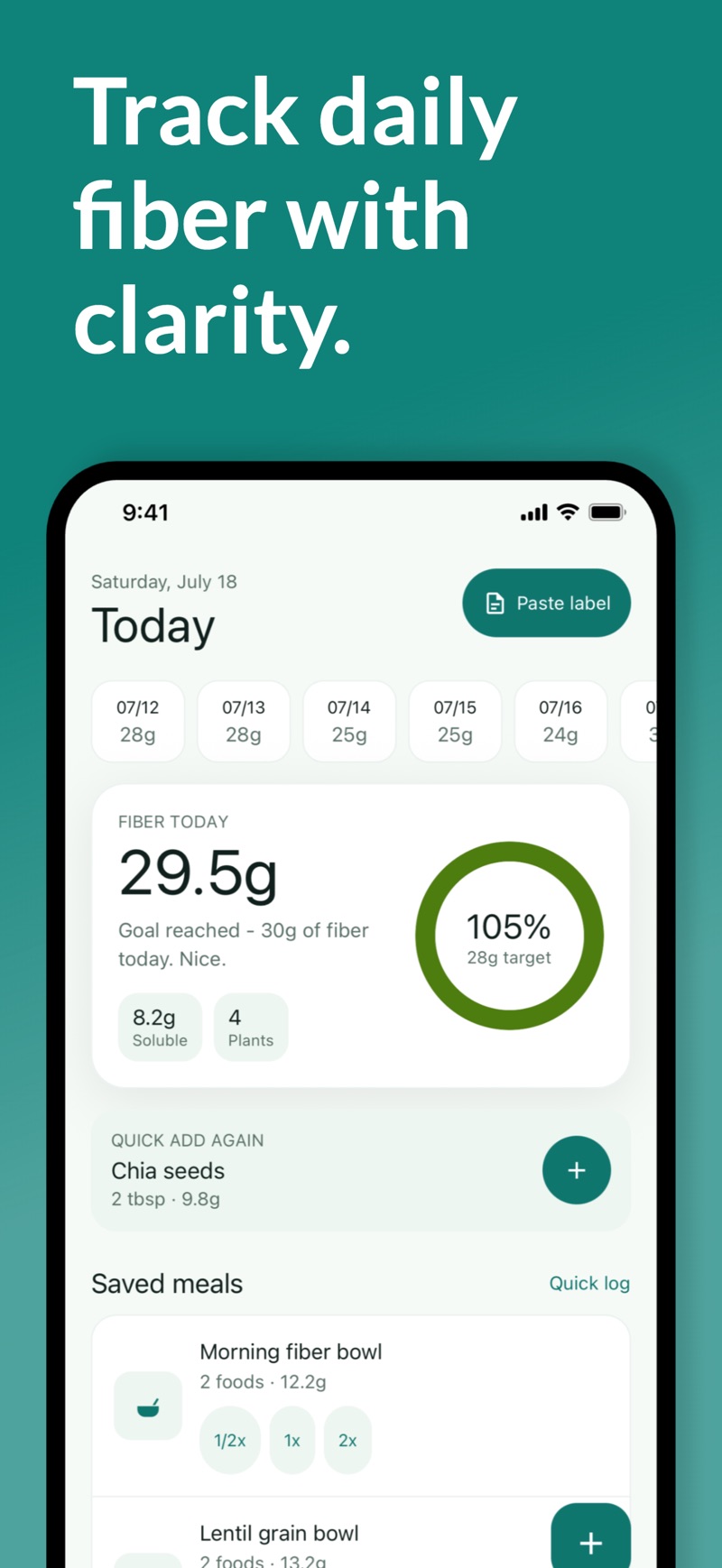
One ring shows grams logged, grams remaining, and your goal for today. Onboarding asks where you're starting from and builds a ramp that raises the target gradually over two to three weeks, because jumping to a high-fiber diet overnight is the classic mistake.
-
Whole-foods-first search, 900+ USDA foods
The local food catalog is built from USDA FoodData Central with realistic household servings — cups, tablespoons, a medium pear — plus synonyms like garbanzo/chickpea and fiber/fibre. Plain whole foods rank above noisy database variants, so logging takes seconds.
-
On-device nutrition-label parsing
Type or paste the text of a Nutrition Facts panel and FiberTally pulls out the dietary fiber grams, asks you to confirm servings, and logs it. It runs entirely on your phone — no photo, no upload, no cloud AI.
-
Saved meals and quick logging
Build meals from foods you actually eat and log your usual breakfast in one tap. Meal tags, half/double portions, gram-based portions, recents, and frequent foods keep repeat logging near-instant. Logs stay editable, with delete-and-undo.
-
Gut check-ins and honest insights
Optional one-tap check-ins for digestion, bloating, and energy sit alongside a 7-day chart, your average, goal days, plant-diversity count, and an estimated soluble/insoluble split — clearly labeled as an estimate, because source data for the split is genuinely incomplete.
-
Doctor-ready export, local backup, 36 languages
Share a clean CSV with a dietitian or doctor, keep a local JSON backup, and restore it later — all without an account. The interface is translated into 36 languages, including right-to-left Arabic and Hebrew.
Core logging, insights, and exports are free. An optional premium unlock (monthly, yearly, or one-time lifetime) extends history beyond 7 days and saved meals beyond three.
What it actually looks like
Real screens from version 1.1 — captured on iPhone, and the Android build is the same app. Note what is missing from every one of them: no calorie count, no weight, no streak shaming.
-
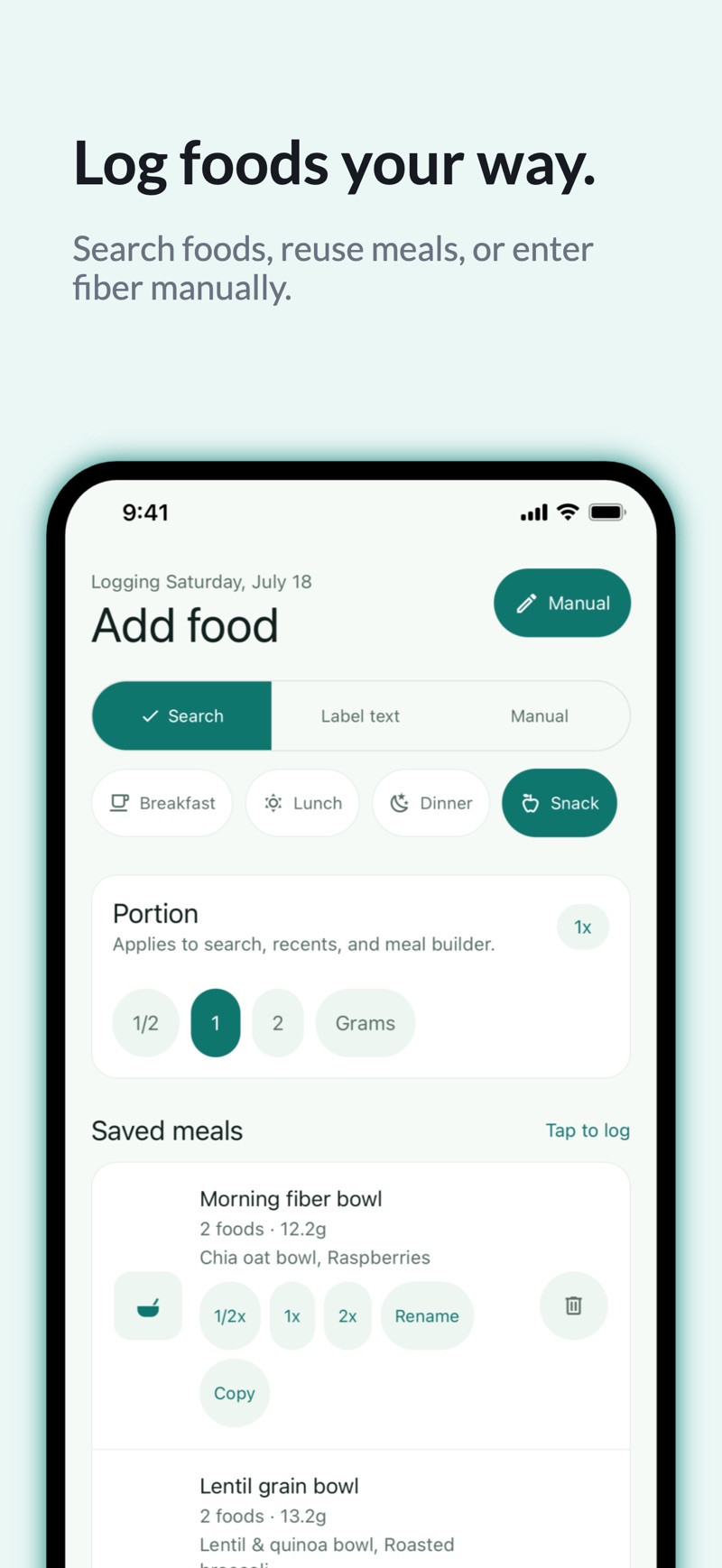
Logging Three ways to add food Search 900+ USDA foods, tap a saved meal at half, single, or double size, or just type the grams. Portions are set before you search, so logging stays one screen deep. -
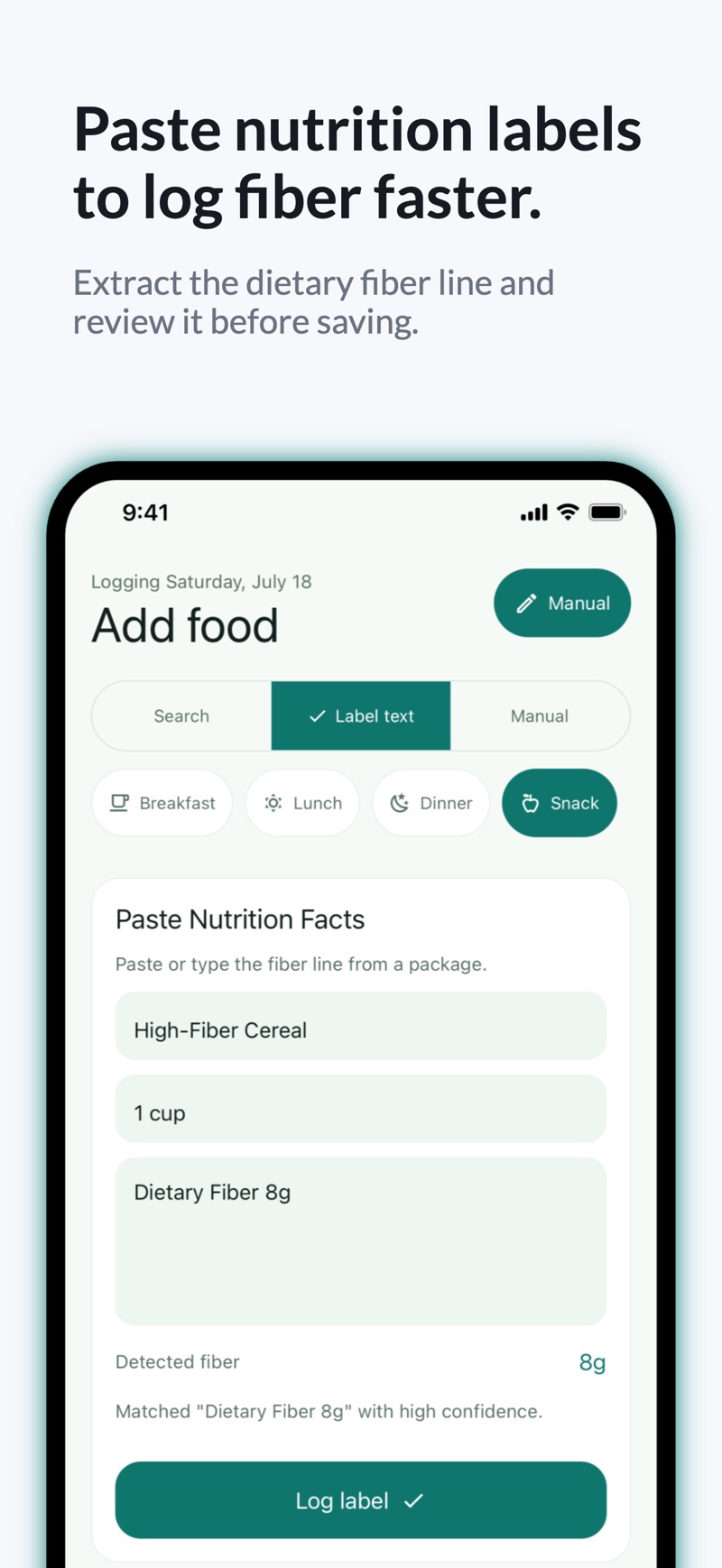
Labels Paste the panel, keep the photo Type or paste a Nutrition Facts panel and the fiber line is pulled out on your phone, with the match shown for you to confirm. No camera, no upload, no cloud guessing at your plate. -
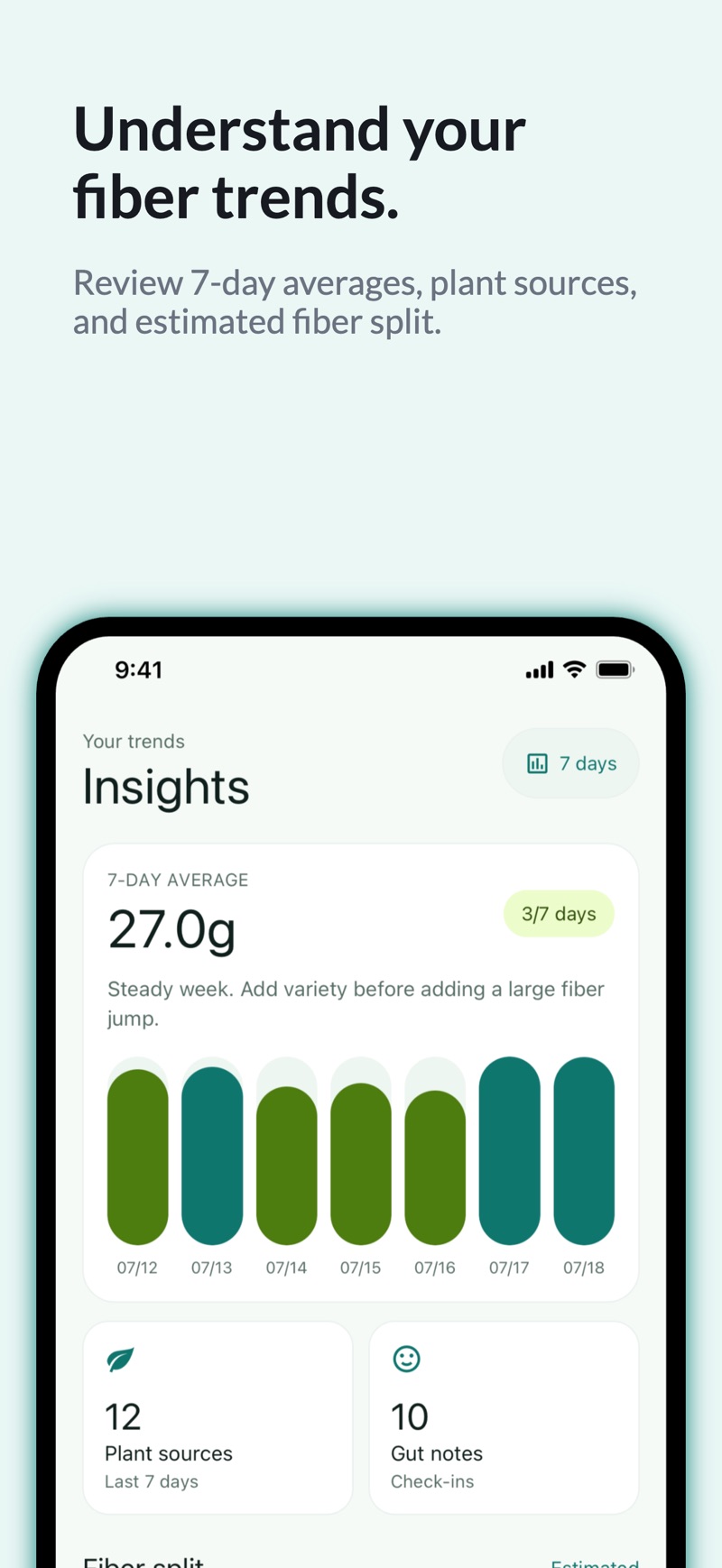
Insights A week you can read in a second Seven-day average, goal days hit, plant diversity, and a plain-language nudge — “steady week, add variety before adding a large fiber jump.” Not a scoreboard. -
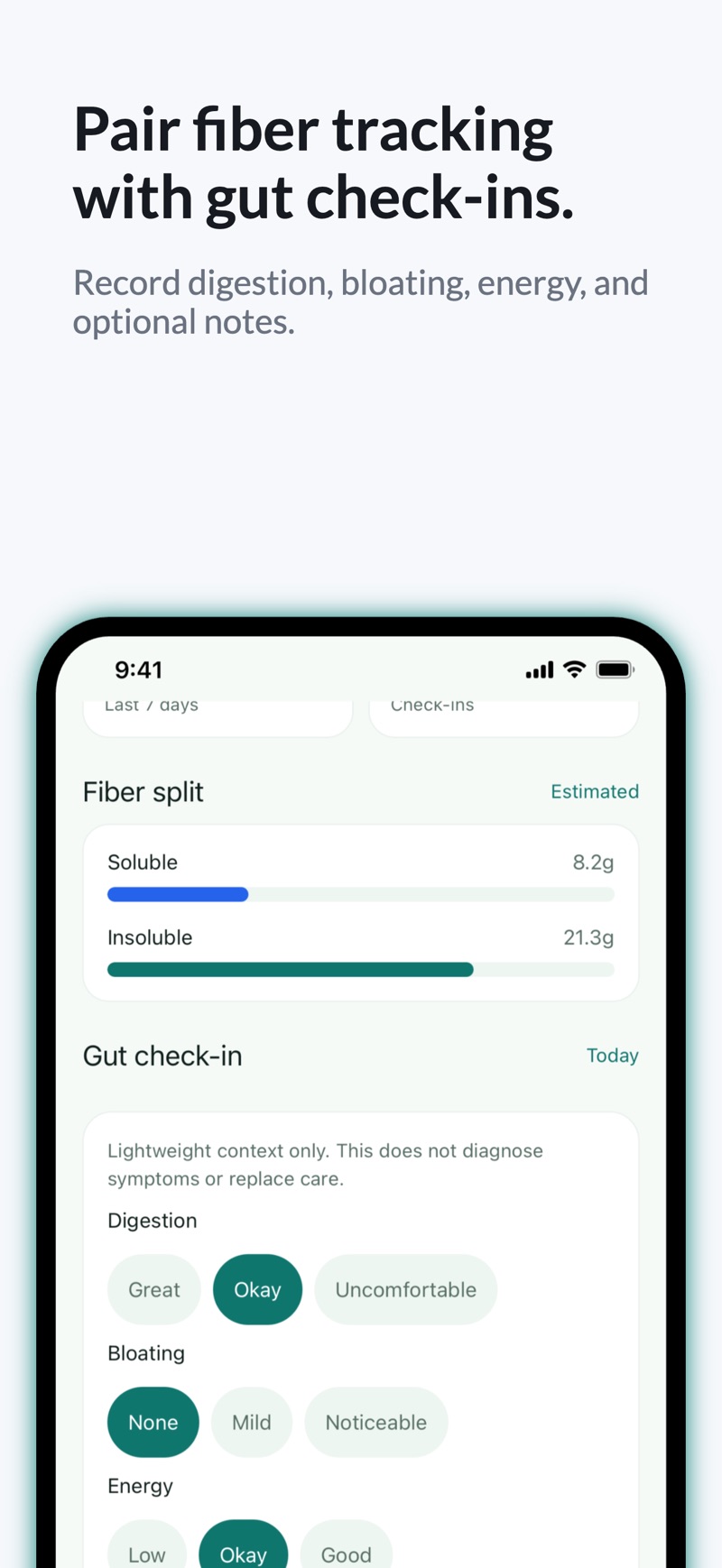
Gut check-ins Context, never a diagnosis One-tap digestion, bloating, and energy notes sit beside an estimated soluble/insoluble split — labeled “Estimated” on screen, because the source data for that split genuinely is.
Privacy as behavior, not a screenshot slogan
What you eat is nobody's business. FiberTally is local-first by design — verifiable in how the app is built, not just promised in marketing copy:
- No account. There is nothing to sign up for.
- No cloud sync. Logs, check-ins, and settings live on your device; there is no server-side copy.
- No analytics SDKs. Not even “anonymous” product analytics.
- No ads, no data brokers, no cross-app tracking.
- Label parsing on-device. Nutrition Facts text you paste never leaves the phone.
- Billing only. The single network permission exists for optional App Store and Google Play purchases.
The full details are in the privacy policy.
What FiberTally refuses to do
A fiber habit app should not feel like a weigh-in. These are deliberate omissions, not missing features.
- No calorie counting by default
- No weight tracking, ever
- No before/after weight-loss content
- No cloud AI photo scanner guessing at your plate
- No red “failure” states for missing a day
- No spammy notification streaks — only light, local nudges
Fiber, explained plainly
Evergreen guides built on public nutrition sources — useful whether or not you ever install the app.
- Targets How much fiber do you need per day? The 21–38 gram range, the 28 g Daily Value, and why most people land far below both.
- Food list High-fiber foods, ranked by food group Everyday legumes, grains, fruits, and vegetables with approximate grams per household serving.
- Basics Soluble vs insoluble fiber What each type does, where each shows up, and why per-food splits are always estimates.
- Ramp up How to increase fiber without the bloating Why going too fast backfires, and a gradual, fluid-friendly way to raise your intake.
Questions, answered honestly
Is FiberTally available for iPhone and Android?
Both. FiberTally 1.1 is live on the App Store for iPhone and iPad running iOS 15.1 or later, and on Google Play for Android. The download is free on either store, and it is the same app on both.
Is FiberTally free?
The download is free, and the everyday core stays free: logging food, the daily ring, insights, and CSV/JSON exports. An optional premium unlock — monthly, yearly, or a one-time lifetime purchase — extends history browsing and editing beyond 7 days and saved meals beyond three. Current prices are shown on the App Store and Google Play listings.
Do I need an account or an internet connection?
No account, ever. FiberTally works fully offline after install: your food logs, gut check-ins, and settings live on your device. The only thing that touches the network is App Store or Google Play billing, and only if you choose to buy the optional premium unlock.
How does the nutrition-label parser work?
You type or paste the text from a Nutrition Facts panel and FiberTally extracts the dietary fiber grams on your device, then logs it once you confirm the servings. Nothing is photographed or uploaded — this version has no camera scanning at all.
Does FiberTally count calories or track weight?
No. FiberTally shows no calorie counts by default and has no weight tracking, no before/after content, and no diet-culture framing. It does one job: help you log fiber and build the habit gently.
Where is my data stored, and can I get it out?
Everything is stored locally on your phone. You can export your log as a CSV to share with a dietitian or spreadsheet, create a local JSON backup, restore from it, and delete everything with an in-app reset. There is no server-side copy.
Does FiberTally work in my language — and can it say “fibre”?
FiberTally is translated into 36 languages, including right-to-left Arabic and Hebrew. English speakers can also switch between “fiber” and “fibre” spelling in Settings.