Trainer · Translator · SOS beacon

Learn Morse code. Send it. Signal for help — all from the phone in your pocket.

MorseBlink turns your iPhone into a Morse code trainer and emergency signalling device. Practice with an interactive quiz, translate any message instantly, and fire a one-tap SOS by screen flash, audio tone, or vibration. Fully offline. Zero tracking. No subscription.

Download on theApp Store

One-time $4.99 · no ads · no accounts

  • 100% offline
  • Zero data collection
  • 5–35 WPM
  • iOS 15.1+ · iPhone & iPad

When voice fails, code carries

The problem

Morse code looks intimidating from a chart, and most people who try to memorize it give up within a week. Meanwhile, the moment you actually need to signal — a night hike gone long, a dead phone network, a boat past radio range — is exactly the moment you can't look anything up. Flashlight apps blink, but they don't teach. Flashcard apps teach, but they can't transmit.

How MorseBlink solves it

MorseBlink is both halves in one app: a gamified trainer that builds real recognition through quiz play and instant feedback, and a working transmitter that sends any message — or a repeating SOS — through screen flash, audio tone, and vibration with proper international timing. Because it's fully offline, it works in precisely the places you'd need it.

Everything in the box

One app, four jobs

Learn Morse code fast

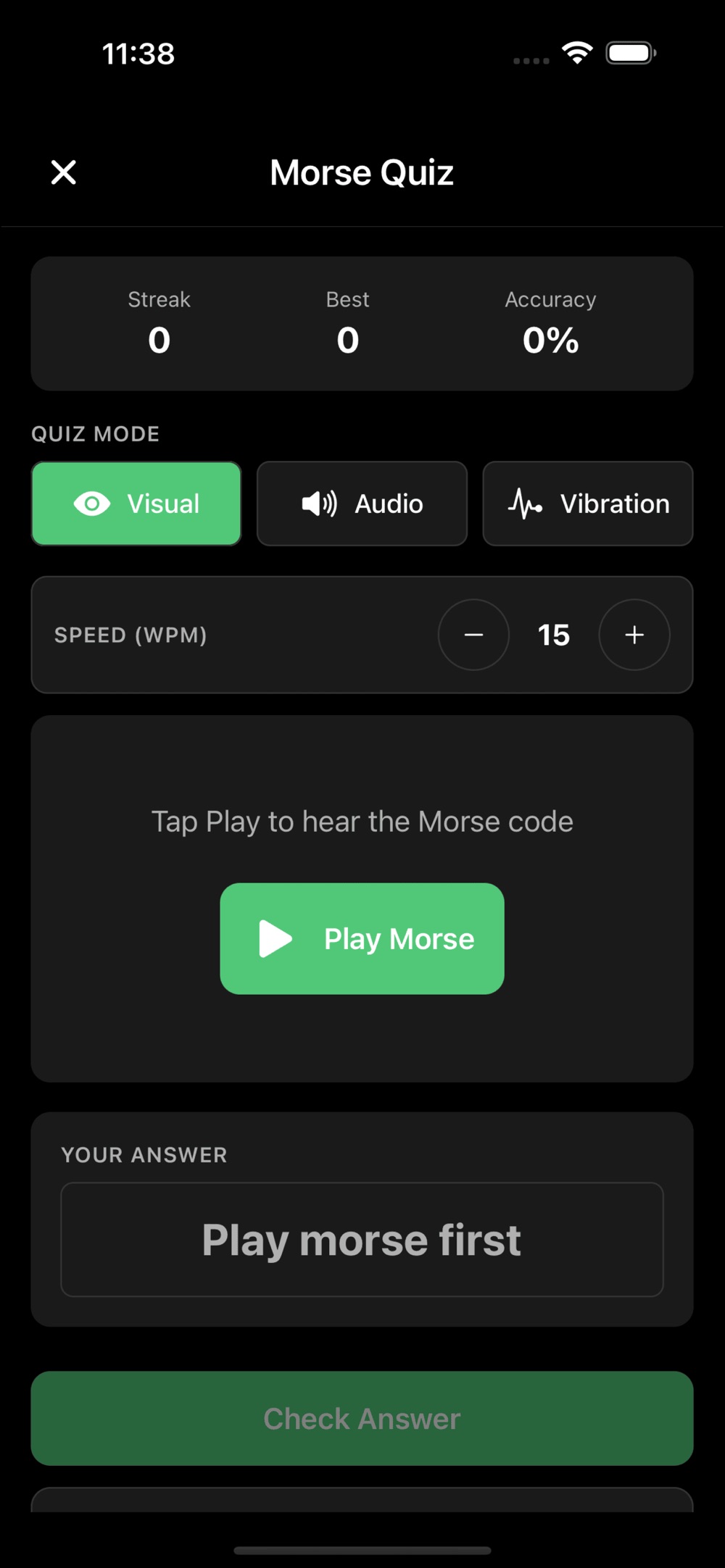
An interactive quiz teaches letters A–Z and numbers 0–9 with instant feedback, accuracy and streak tracking, and progressive difficulty. Choose visual screen flash, audio tones, or haptic vibration, dial speed from 5 to 35 WPM, and use Farnsworth spacing to learn character patterns at full speed with longer pauses between them.

Translate & transmit anything

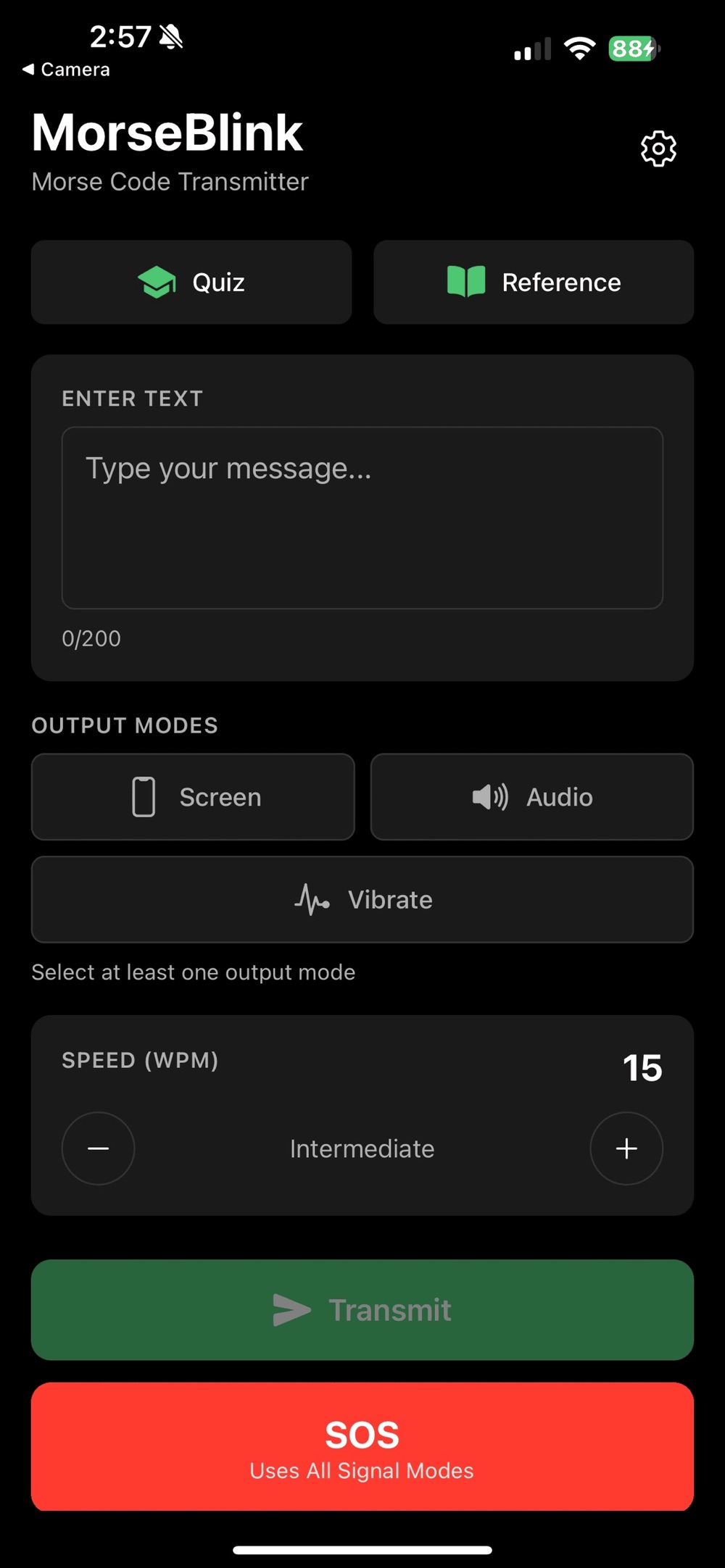
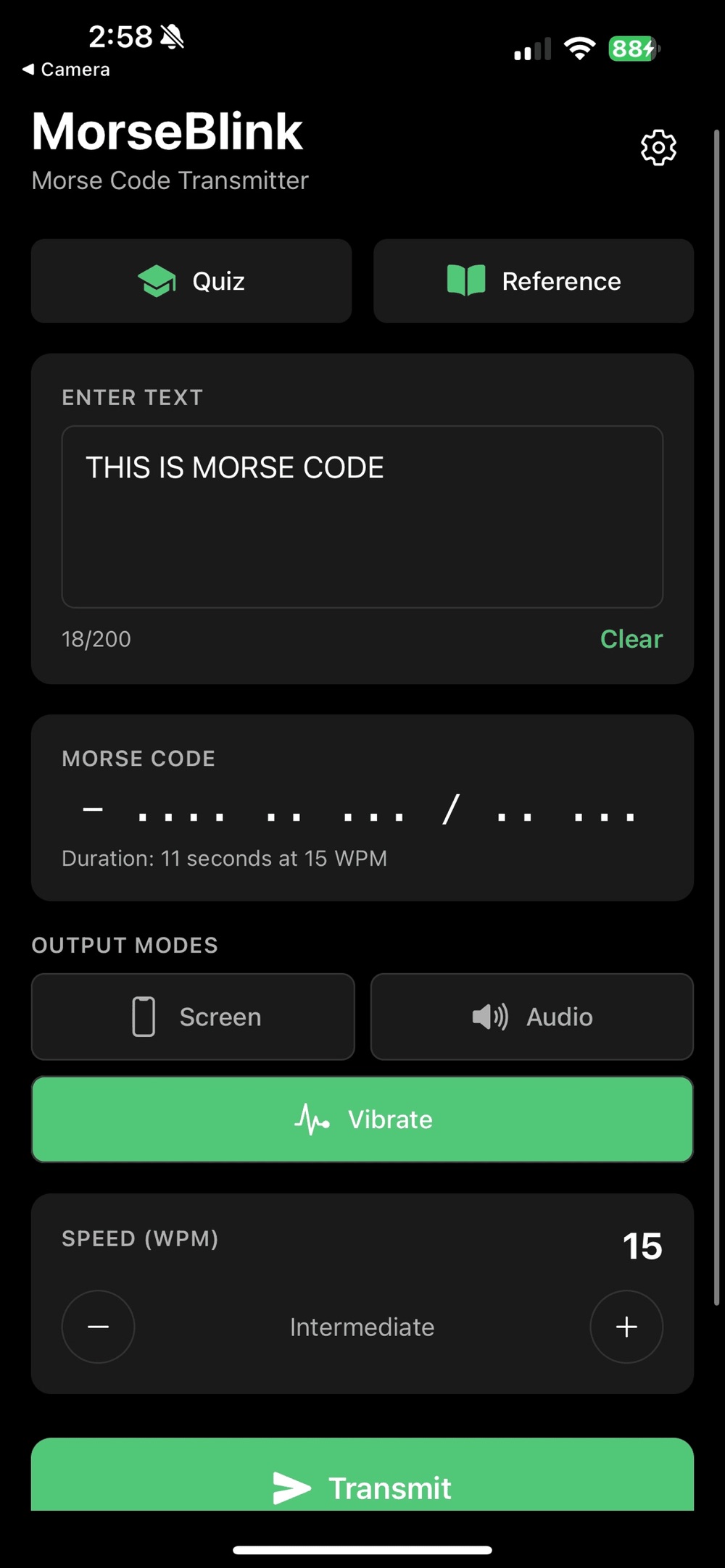
Type any message and transmit it instantly, or convert text to Morse code on the spot. Three output modes — screen flash, audio tone, vibration — with timing that follows international Morse standards. Handy at camp, on a trail, or whenever you want to send a real signal.

One-tap emergency SOS

A single tap transmits ··· −−− ··· and repeats it automatically for distress signalling. It can drive all output modes at once, and the bright screen flash is visible at night. No internet needed — the SOS works fully offline, always one tap away.

Complete reference, zero clutter

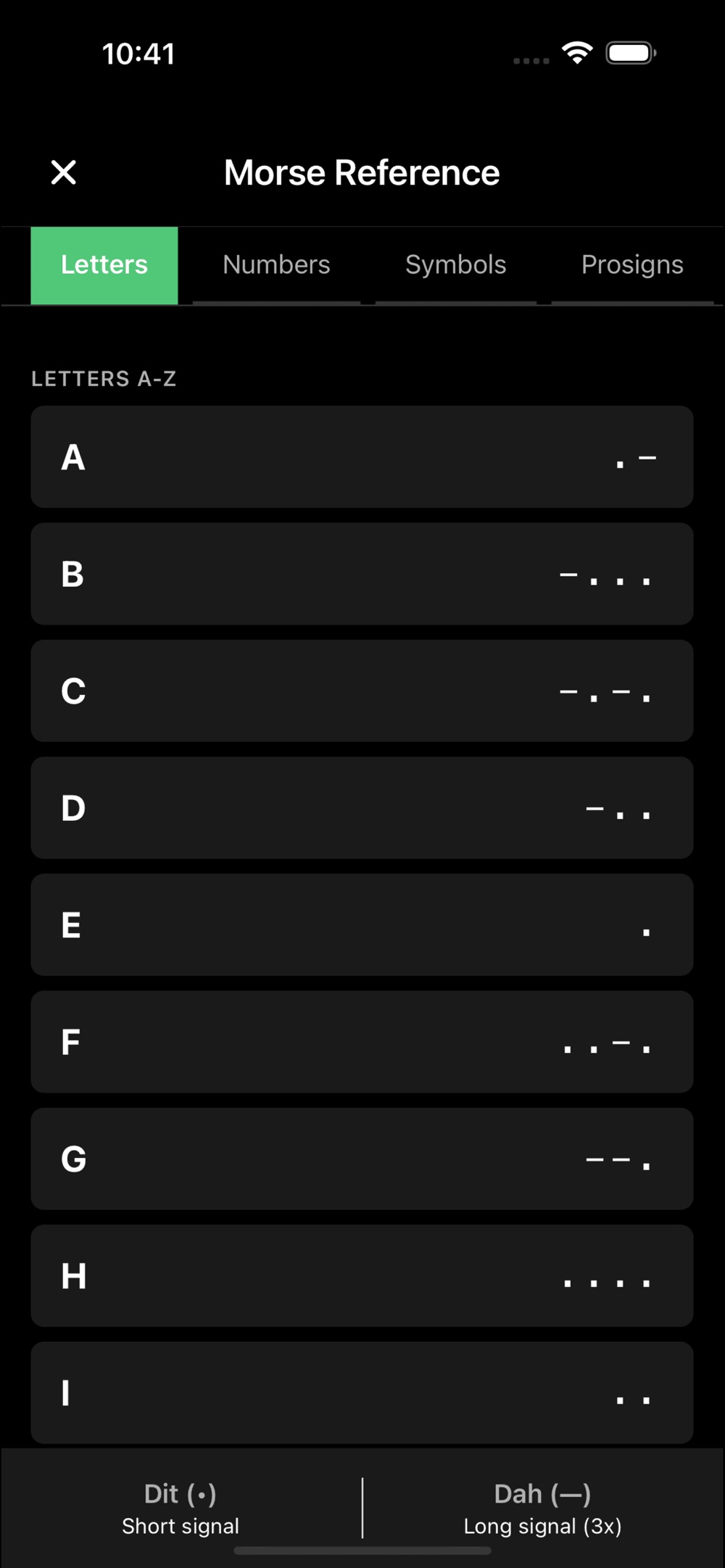
A full A–Z, 0–9 reference chart with symbols lives inside the app, wrapped in a clean, minimal interface that's dark-mode optimized for night use and battery efficient during transmission. Audio tone frequency is adjustable to suit your ear.

Emergency preparedness

An SOS beacon that's always charged with your phone

In critical situations when voice communication fails, Morse code can still get through. MorseBlink's SOS button turns your phone's bright screen into a repeating distress flash visible at night — with audio tone and vibration available simultaneously. Because everything runs offline, it keeps working where networks don't: backcountry trails, open water, power outages.

It's a practical addition to any kit for hikers, campers, boaters, and preppers — a signalling tool that lives on a device you already carry everywhere.

Who it's for

Built for people who take signals seriously

Ham radio & CW operators

Train receiving skills with proper dit/dah timing and spacing per the international standard. Start at 5 WPM, use Farnsworth spacing to internalize character rhythm, and climb toward 35 WPM as your copy speed grows — useful practice on the way to amateur radio proficiency.

Scouts, students & code enthusiasts

The gamified quiz makes memorizing A–Z and 0–9 feel like play: instant feedback, streaks, and progressive difficulty. A complete reference chart with symbols is always one tap away for troop activities, classroom units on communication history, or personal challenge.

Hikers, boaters & preppers

An offline translator and one-tap SOS you can rely on beyond coverage. Type a message and flash it across a valley or a bay; if things go wrong, the repeating SOS flash is visible at night and never needs a signal bar.

From zero to real copy speed

  1. Recognize. Quiz yourself on letters and numbers with instant feedback in the mode that suits you — flash, tone, or vibration.
  2. Internalize rhythm. Turn on Farnsworth spacing: characters play at full speed while gaps stay long, so you learn the sound of each letter, not a dot-dash count.
  3. Speed up. Raise WPM gradually from 5 toward 35 as accuracy and streaks climb.
  4. Use it. Translate and transmit real messages — the fastest way to make the code stick.

Straight answers

Frequently asked questions

Does MorseBlink work without internet?

Yes. MorseBlink is fully offline. Learning, translating, and SOS signalling all run entirely on your device — no connection is ever needed, which is exactly what you want on a trail, at sea, or anywhere coverage drops out.

Is MorseBlink a subscription?

No. MorseBlink is a one-time $4.99 purchase. There are no ads, no subscriptions, and no accounts to create.

How does MorseBlink transmit Morse code?

Three output modes: a bright screen flash visible at night, an audio tone with adjustable frequency, and haptic vibration. The SOS feature can use all output modes simultaneously, and timing follows international Morse standards.

Can a complete beginner learn Morse code with MorseBlink?

Yes. The interactive quiz teaches letters A–Z and numbers 0–9 with instant feedback, accuracy and streak tracking, and progressive difficulty. Speed adjusts from 5 to 35 WPM, and Farnsworth spacing keeps character patterns at full speed while stretching the gaps between them — the proven way to learn.

Does MorseBlink collect any data?

No. MorseBlink collects zero data — no analytics, no tracking, and no third-party SDKs. Everything stays on your device.

Which devices does MorseBlink support?

MorseBlink supports all iPhone and iPad models running iOS 15.1 or later. It is dark-mode optimized for night use and battery efficient during transmission.

Is MorseBlink useful for ham radio licensing practice?

Yes. MorseBlink follows proper international Morse timing for dits, dahs, and spacing, with adjustable speed from a beginner-friendly 5 WPM up to 35 WPM — a practical trainer for amateur radio operators and CW enthusiasts building real copy speed.
Start your Morse code journey tonight

Learn it for fun, keep it for emergencies, or train it for ham radio — MorseBlink is a complete Morse companion for $4.99, once.

Download on theApp Store