The pantry management app that turns what you own into what's for dinner
GourmetLog is your cooking cockpit: scan a grocery receipt, watch your pantry fill itself, see recipes ranked by what you already have — then log the meal, its cost and your cooking streak.

Meal & Pantry — GourmetLog 1.0 for iPhone and iPad, by indie developer Mobin Akhter. See real screens ↓
The 6 pm fridge stare, solved
You bought good food. Somewhere between the receipt and the bin, the plan fell apart.
Without a system
- Groceries go in, expiry dates go unnoticed, food goes out — in the trash.
- "What can I actually make right now?" means digging through shelves.
- You have no idea what a week of cooking really costs you.
- Inventory apps mean typing in every single item by hand.
With GourmetLog
- Snap the receipt — OCR adds quantities, units and expiry dates for you.
- Suggested Recipes shows dishes you can cook now, ranked by ingredient match, cost and time.
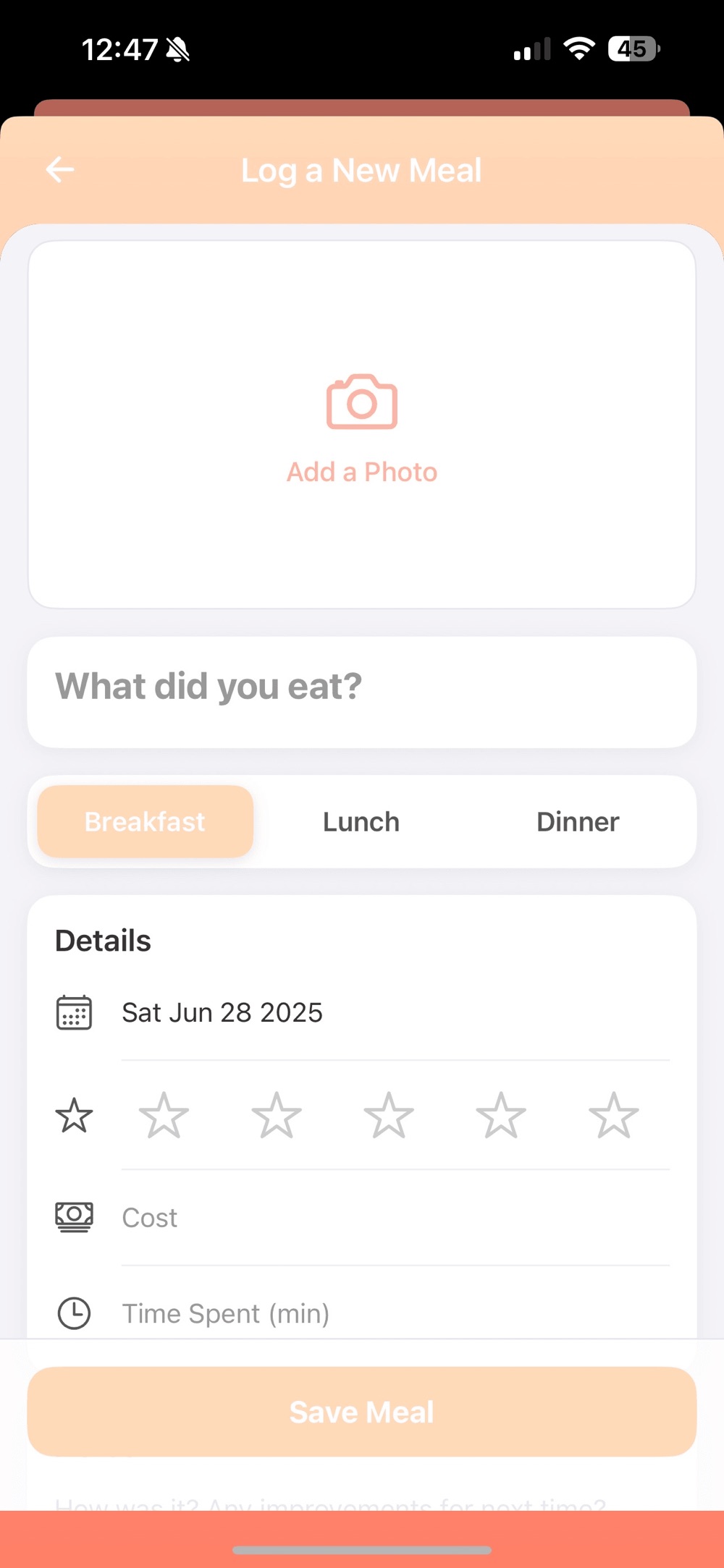
- Log each meal with a star rating and what it cost.
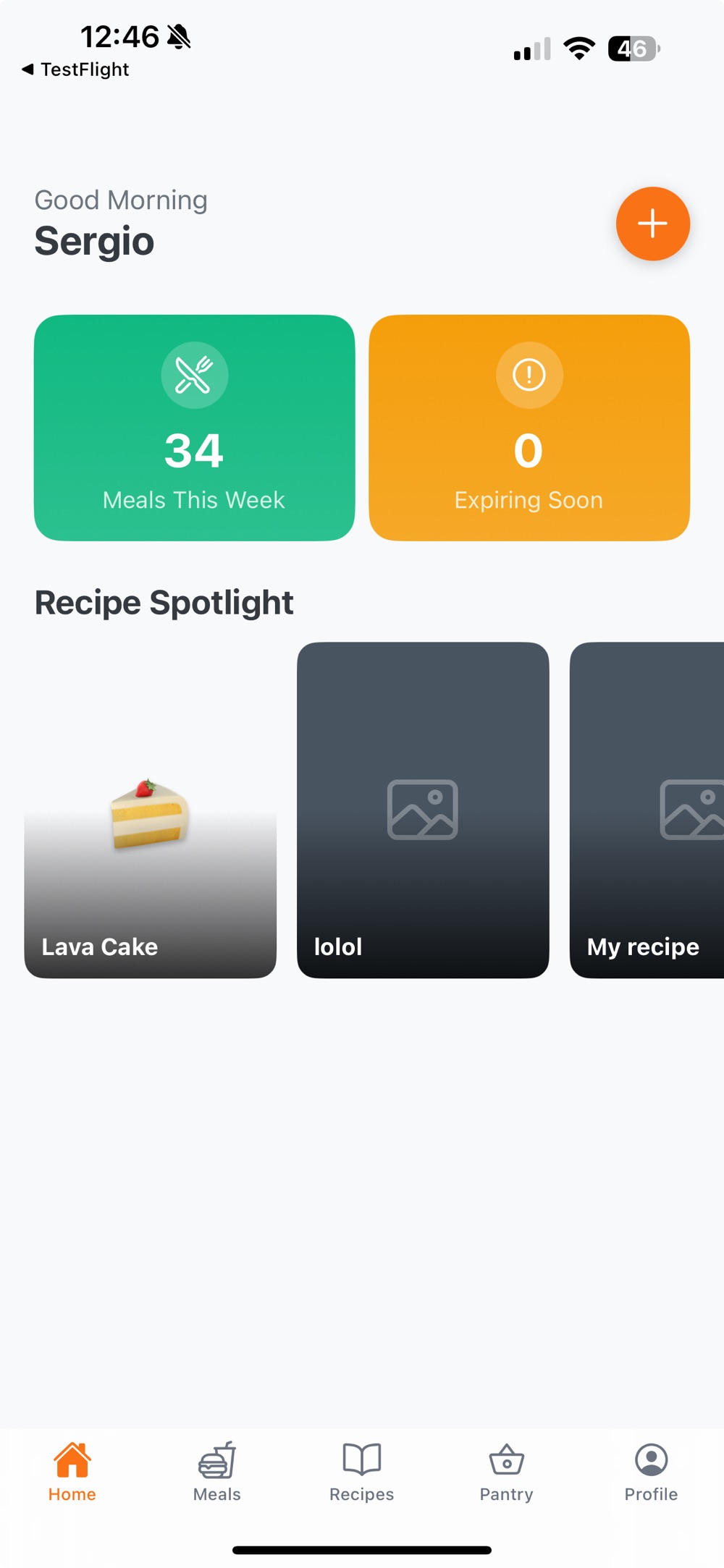
- Your dashboard tracks weekly dishes, cooking streaks and expiring-soon items.
Everything in one cooking cockpit
Every feature below comes straight from the App Store listing — no vaporware.
Receipt Scanner (OCR)Beta
Snap a grocery ticket and GourmetLog auto-adds quantities, units and expiry dates to your pantry. No typing required.
Smart Pantry
Colour-coded expirations, categories like Produce, Meat and Spices, and batch edits with quantity tweaks in one tap.
Suggested Recipes
See dishes you can cook now from your own recipes plus 5,000,000+ Spoonacular ideas — ranked by ingredient match, cost and time.
Lightning-Fast Meal Logger
Autocomplete dish names, add star ratings and a money input for cost control — with success animations that feel delightful.
Dynamic Dashboard
Weekly dish count, cooking streaks, expiring-soon items and today's planned meal — animated and tailored to you.
Your Recipes + 5M More
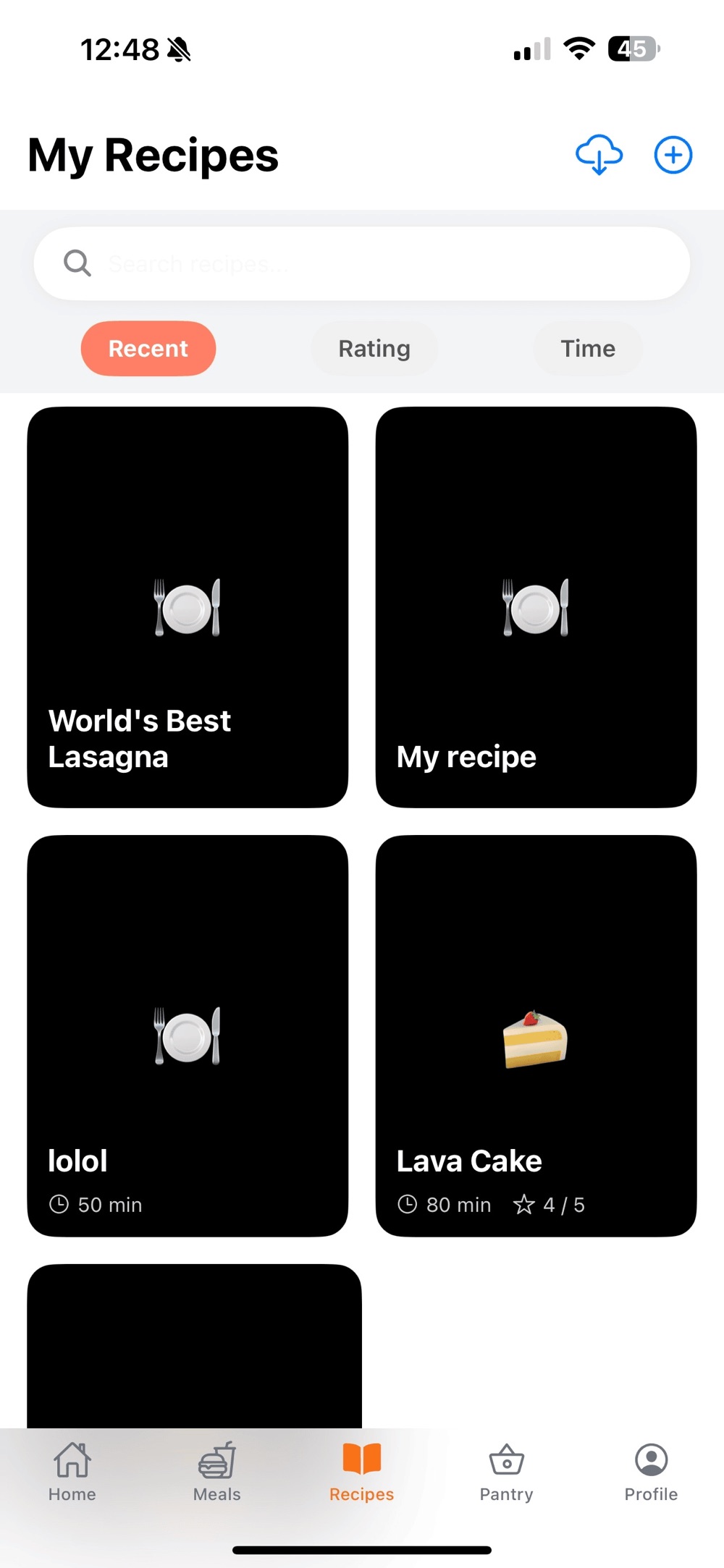
Write personal recipes with rich ingredients and steps, or browse external recipes with nutrition, price per serving and collapsible instructions. Share via iMessage rich links.
Coming in the next releasePlanned: smart notifications — "use it soon" pings for food about to expire, daily meal-plan reminders at your chosen time, and streak badges.
A look inside GourmetLog
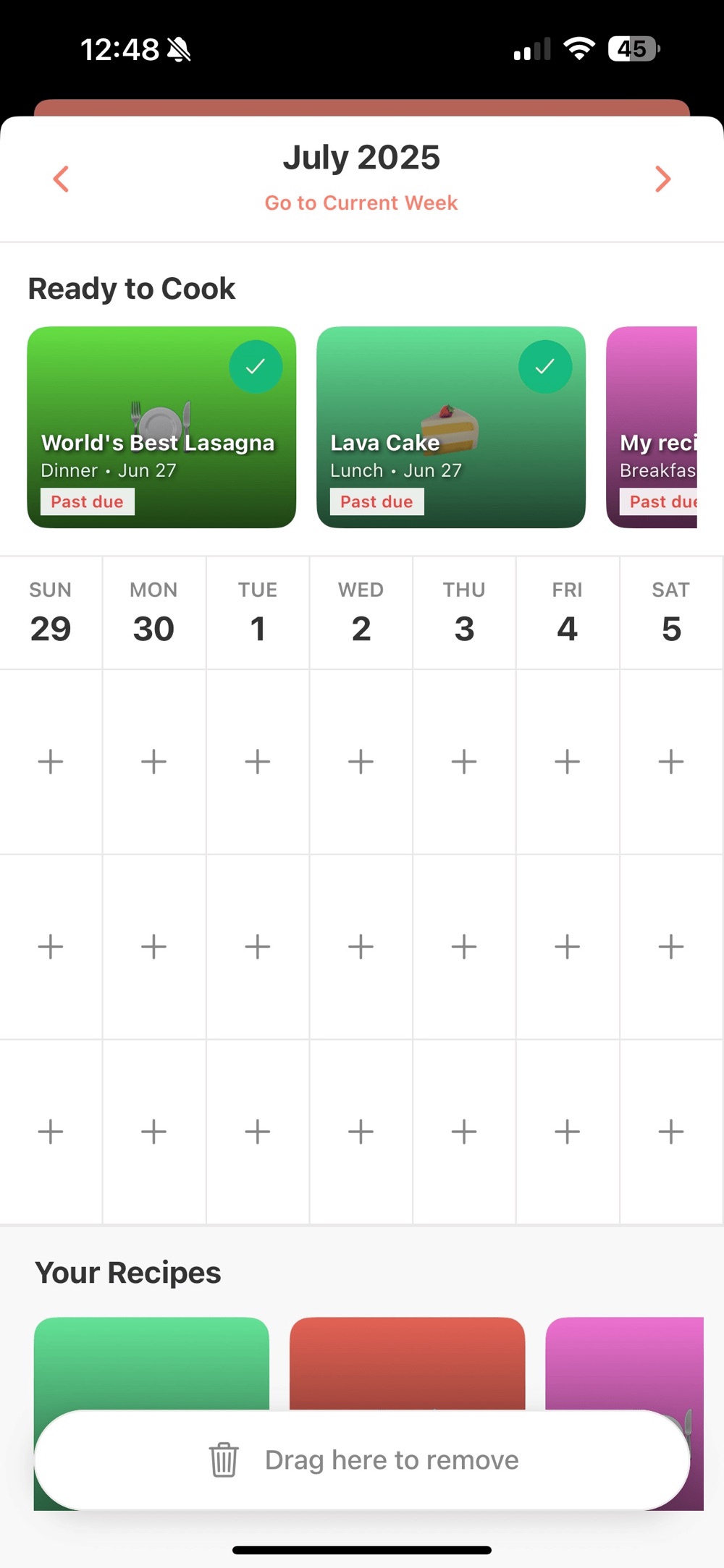
Real screens from the App Store listing — the dashboard you open, the logger you use, the recipes you keep, and the week you plan.
How GourmetLog fits your week
One loop, three moments. Made for foodies and busy people.
Stock the pantry without typing
After a grocery run, scan the receipt. Items land in your pantry with quantities, units and expiry dates, organised by category and colour-coded by freshness. Pantry look-ups even work offline.
Ask "what can I cook now?"
Suggested Recipes ranks your own dishes and millions of external ideas by how well they match what you own, what they cost and how long they take — so expiring food becomes tonight's dinner instead of waste.
Log it, rate it, build the streak
Record the meal in seconds with autocomplete, star it, note what it cost. Your dashboard turns that into weekly dish counts and cooking streaks that keep you going.
Kitchen guides
Practical, evergreen reading on wasting less and cooking more — no app required (though it helps).
How to Reduce Food Waste at Home
Why good groceries end up in the bin, what date labels actually mean, and the habits that keep food on plates.
Read the guide →Organize Your Pantry & Track Expiry Dates
A category-first system for shelves, fridge and freezer — plus how to keep an inventory without hating it.
Read the guide →How to Cook With What You Already Have
Pantry-first cooking: flexible meal templates, smart substitutions, and turning "random ingredients" into dinner.
Read the guide →How to Track Food Spending (Without a Spreadsheet)
Find out what your cooking really costs, understand cost per serving, and use streaks to make the habit stick.
Read the guide →Frequently asked questions
GourmetLog is a one-time purchase of $4.99 on the App Store. The developer states there are no ads, ever.
No. GourmetLog is currently iOS-only. It's a universal app for iPhone and iPad and requires iOS 15.1 or later.
You snap a photo of a grocery receipt and GourmetLog's OCR auto-adds quantities, units and expiry dates to your pantry — no typing. The scanner is currently marked as a beta feature.
Suggested Recipes blends your own saved recipes with 5,000,000+ ideas from the Spoonacular database, ranked by ingredient match, cost and time. External recipes include nutrition info and price per serving.
Pantry look-ups work offline — handy in the store aisle. Features built on the external recipe database need a connection.
Smart notifications ("use it soon" pings, daily meal-plan reminders, streak badges) are announced for the next release. Today, colour-coded expirations and the dashboard's expiring-soon list surface at-risk food every time you open the app.
Yes. The meal logger has a money input for cost control, and external recipes show price per serving before you commit to cooking.
Cook smarter. Waste less. Taste more.
One $4.99 purchase. One cockpit for your pantry, your recipes, your meals and your money.