 TockRelay
A precise chess clock app for real over‑the‑board play
TockRelay turns an iPhone, iPad, or Android phone into a two-sided game clock: big fixed-width digits, presses that register the moment your finger lands, and every timing method from Fischer increment to Japanese byo-yomi.
Version 1.0 is out now — free on the App Store and Google Play.
No ads · No account · Core timing works offline
Made for the handoff
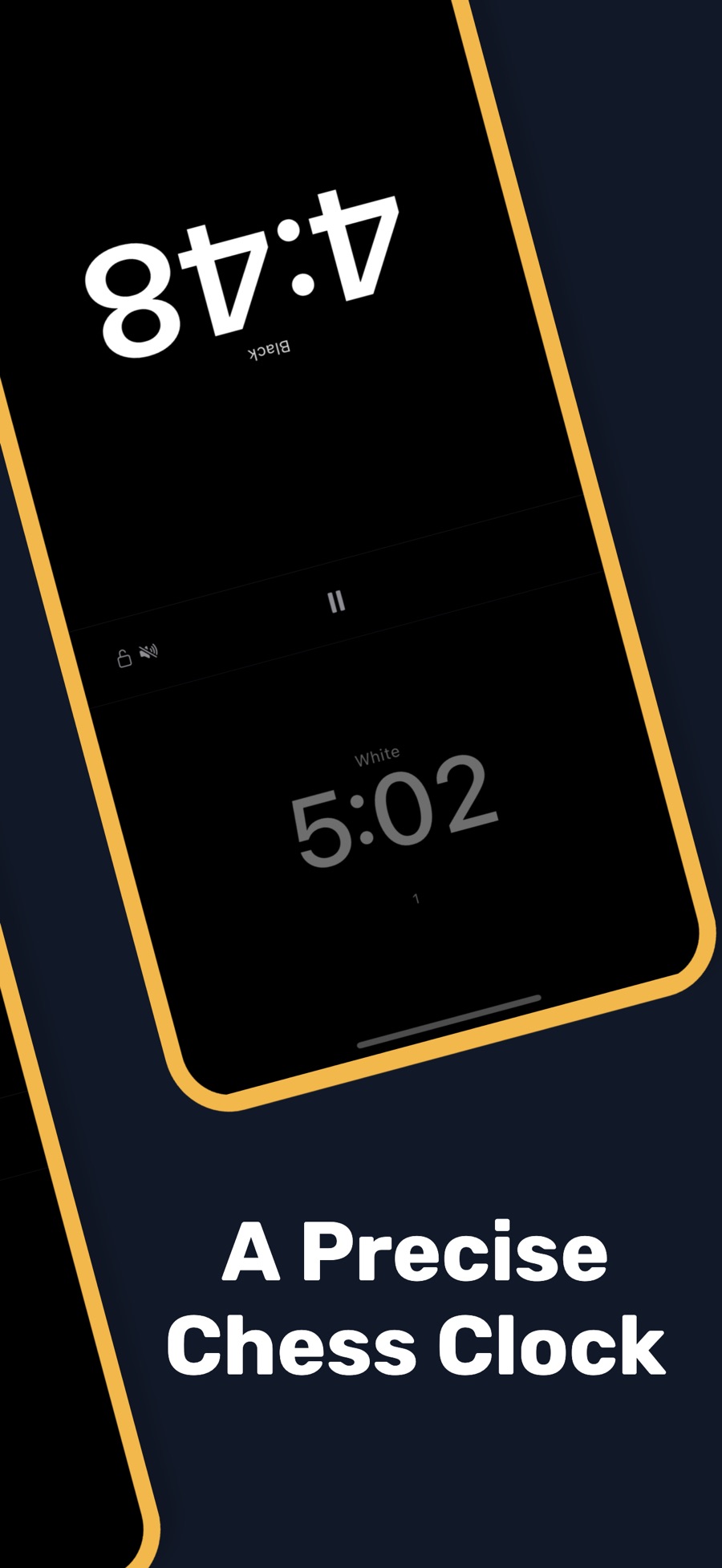
A chess clock has one job: run exactly one side at a time and switch the instant a move is finished. TockRelay keeps the phone doing only that while the game is on.
-
Step 1 · Set
Pick a control
Tap a ready-made preset — bullet through classical, Go, shogi, or a board-game setup — or type your own base time and increment on a keypad.
-
Step 2 · Place
Lay the phone between you
The screen splits into two mirrored halves, one turned to face each player, with a single pause control in the band between. Start with one tap.
-
Step 3 · Press
Move, then press your side
Your press stops your clock and starts your opponent's. The side on move goes bright; the waiting side dims, so you can read the state at a glance.
Every clock rule on one spec sheet
Choose a preset or build your own. Notation can read as 3|2, 3+2, or G/30 d5 — whichever way your club writes it.
| Method | Looks like | What happens on your move |
|---|---|---|
| Sudden death | 5|0 | One pot of time for the whole game. When it runs out, your flag falls. |
| Fischer increment | 3|2 3+2 | A fixed amount is added to your clock after every move, so fast moves can bank time. |
| US delay | G/30 d5 | Your clock waits for the delay before it starts counting down. Nothing is ever added. |
| Bronstein | G/30 Bronstein 5 | You get back the time you used on the move, up to the delay amount. |
| Multi-stage | 90/40, 30, +30s | More time arrives after a set move count — with increment from move one, or from a later move. |
| Time odds | White +2:00 | Give one player more time: coaching, uneven matchups, or an Armageddon-style setup. |
| Japanese byo-yomi | 10+5×30 | After main time you get periods; a period is used up only when a move takes longer than it. |
| Canadian overtime | 10 stones / 5 min | After main time, play a set number of stones inside a block of time, then the block resets. |
| Hourglass | 5 min | The time you spend thinking flows onto your opponent's clock. |
| Count-up | 25 min limit | Your clock counts up; every started minute past the limit costs points, word-game style. |
| Board-game turns | 10:00 bank 30 s/turn | Each player gets a time bank, or every turn gets the same limit and passes on automatically. |
Built-in presets include bullet 1|0 and 2|1; blitz 3|0, 3|2, 5|0, and 5|3; rapid 10|0, 15|10, and 25|10; classical 30 and 60 minutes and 90|30; US-style delay controls such as G/30 d5; FIDE-style multi-stage controls; Go and shogi byo-yomi; and Canadian overtime. New to the jargon? Start with increment vs delay.
Real screens from version 1.0
Captured from the App Store listing. Swipe or scroll sideways through the strip.
-
The game screen Two mirrored halves, one pause button, nothing else competing for the press. -
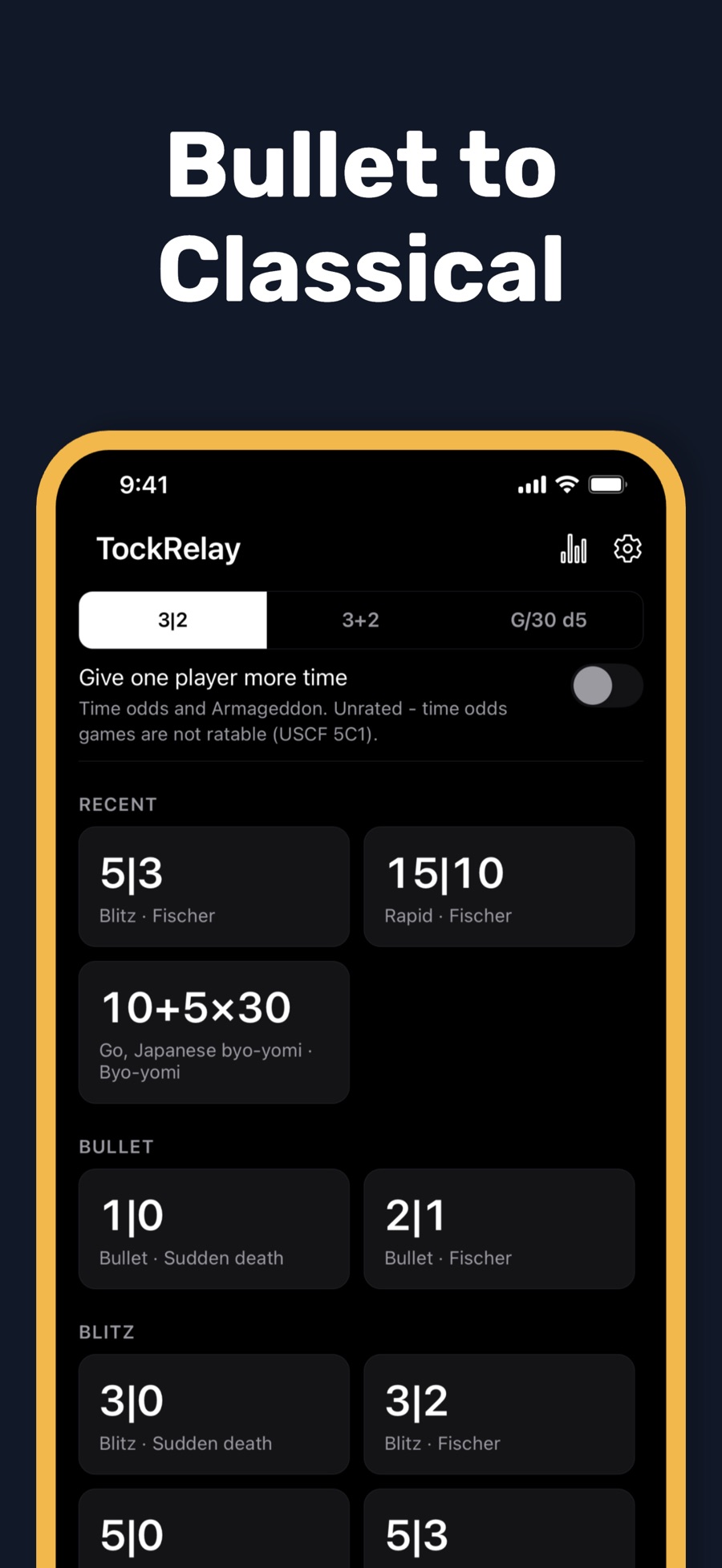
Presets, bullet to classical Recent controls on top and a notation switch for 3|2, 3+2, or G/30 d5. -
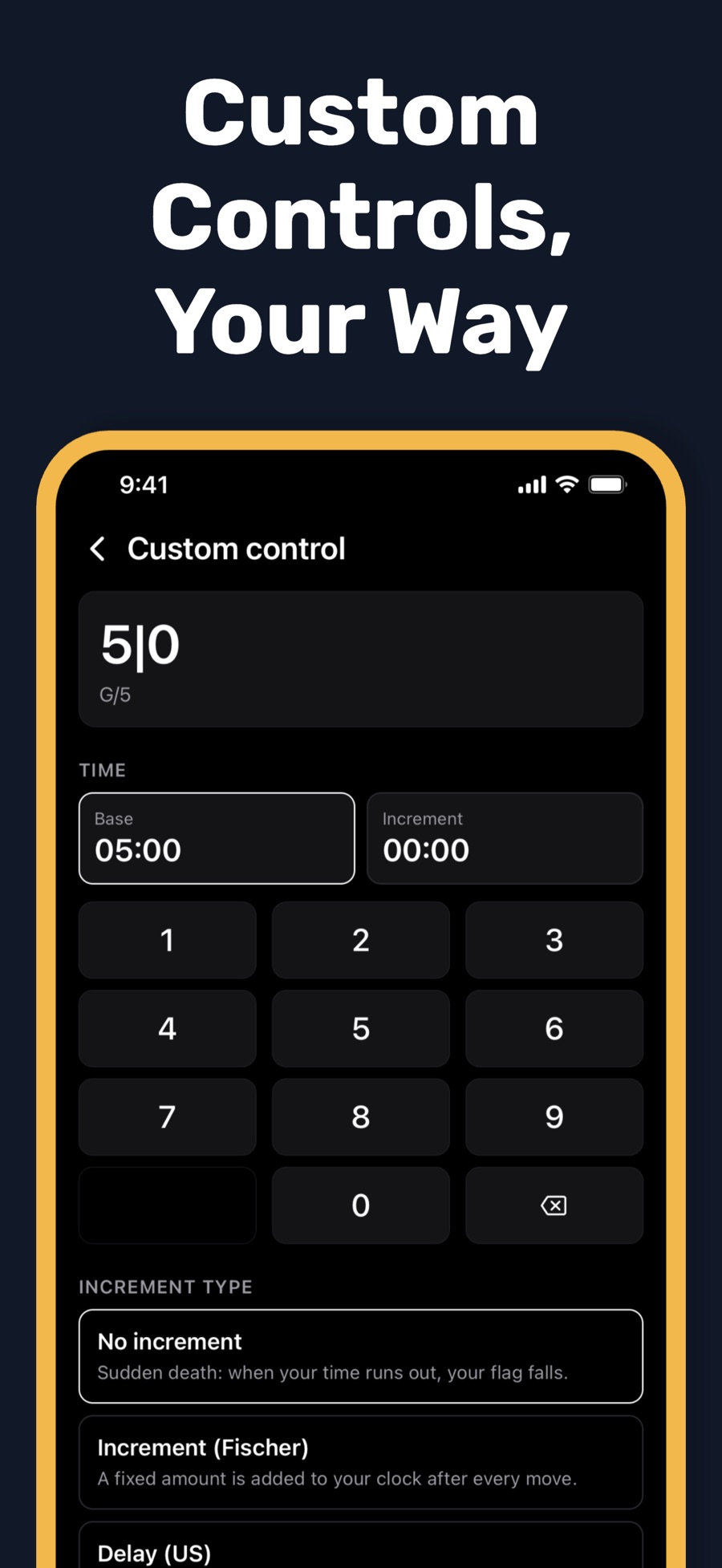
Custom controls Type base time and increment on a keypad, then pick how time is added. -
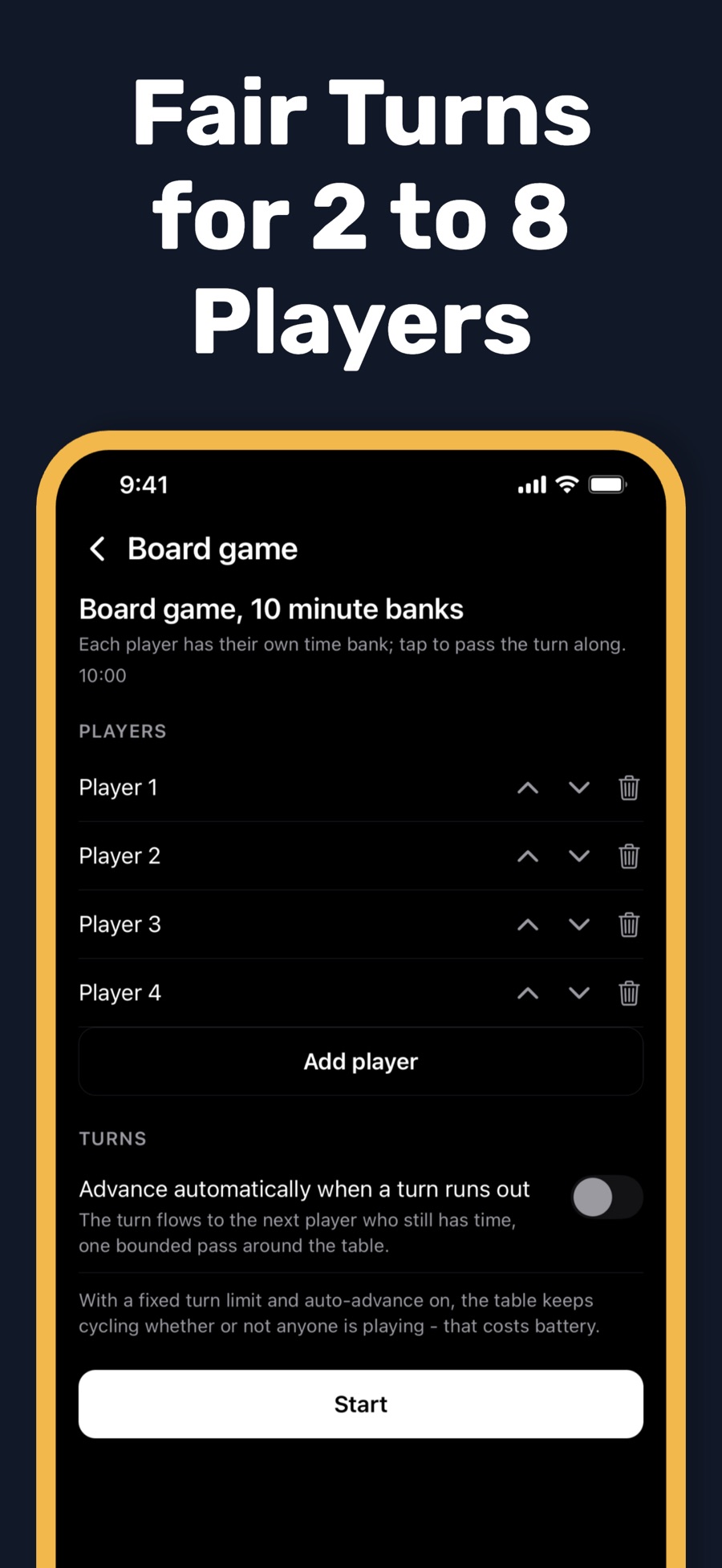
Board-game turns Name and order players, give each a bank, and let turns pass on their own.
Built for the table, not the screenshot
The clock keeps a deadline and shows the time left against it, rather than subtracting timer ticks — a design meant to keep long games from quietly drifting.
Everything else serves the moment a flag is close: a target you can hit blind, digits that stay put, and a state you can read from across the board.
- Touch-down presses
- A press counts when your finger lands, not when it lifts — made for fast time trouble.
- Digits that don't jump
- Large fixed-width numerals hold their place as the seconds count down.
- State without color alone
- The side on move is bright and larger; the waiting side dims. Brightness and size carry the signal.
- Low-time warnings
- Warnings at 60, 30, and 10 seconds, clear flag states, and a move count for each side.
- Quiet unless you ask
- Sounds are off by default. Turn on move, warning, countdown, and flag sounds, haptics, or spoken time.
- Screen stays on
- Keep-screen-awake during games, plus an optional brightness boost for parks and bright rooms.
- Interruptions handled
- Automatic pause options and full game-state restoration, with a Resume game shortcut.
- Readable themes
- High-contrast Tournament and Daylight themes, VoiceOver and TalkBack labels, and a Reduce Motion setting.
Chess first. Then Go, shogi, and game night.
Chess
The two-player clock is the heart of the app, tuned for over-the-board chess from a one-minute bullet game to a multi-stage classical control.
- Bullet, blitz, rapid, and classical presets
- Fischer increment, US delay, and Bronstein timing
- Multi-stage controls, with increment from move one
- Time odds and asymmetric starting times
- Move counts, flag states, and low-time warnings
- Notation shown as 3|2, 3+2, or G/30 d5
Go & shogi
Japanese byo-yomi with period counts, Canadian overtime by stones, and a shogi byo-yomi preset. In the Go presets Black moves first, as at the board. How byo-yomi works.
Board & word games
Fair turn timing for 2 to 8 named players: set the order, give everyone a time bank or a fixed per-turn limit, and let turns advance automatically. Two-player timing is free; 3 to 8 players and auto-advance come with Pro. A count-up preset handles word-game overtime penalties.
What's free, and what Pro adds
TockRelay is a free download with no ads, and every built-in time control stays free. TockRelay Pro is an optional in-app purchase — weekly, yearly, or a one-time lifetime unlock — and the store shows the current price before you buy.
| Feature | Free | Pro |
|---|---|---|
| Every built-in chess, Go, and shogi control and timing method | Yes | Yes |
| Two-player clock and two-player board-game timing | Yes | Yes |
| Tournament and Daylight themes | Yes | Yes |
| Build and play a basic custom control | Yes | Yes |
| Saved custom controls | One | Unlimited |
| Multi-stage custom controls | — | Yes |
| Board-game clocks for 3 to 8 players, with auto-advance | — | Yes |
| Two extra display themes | — | Yes |
| Game history | Latest 3 | Up to 200 |
| Ads | None | None |
Private by default, honest about limits
A game clock should not need to know who you are. It also should not pretend to be something it isn't.
- No account. There is nothing to sign up for.
- No ads. Not in the free version, not in Pro.
- On your device. Games, player names, controls, settings, and history stay local.
- Offline timing. A connection is only used for purchases, restores, and support or legal links.
- Not certified tournament hardware. TockRelay makes no such claim, and organizers may restrict phones.
- Made for real tables. Clubs, classrooms, parks, kitchen tables, and practice.
Details are in the TockRelay privacy policy.
Clock know-how, move by move
Plain-English guides to the rules behind the numbers — useful whether or not you install the app.
- Chess time controls explained: bullet, blitz, rapid, classicalWhere FIDE draws the lines, how increments shift a category, and what 3+2 or G/30 d5 actually mean.
- Fischer increment vs US delay vs BronsteinWorked examples of all three, why delay and Bronstein come out the same, and which to pick.
- Byo-yomi and Canadian overtime for Go and shogiHow periods and stone blocks work, with the arithmetic that decides when a flag falls.
- How to use a chess clock: rules and etiquetteClock placement, which hand presses, calling a flag, pausing, and what to do about phones.
Questions before the first press
Is TockRelay free?
Yes. TockRelay is a free download on the App Store and Google Play, with no ads. Every built-in chess, Go, and shogi time control and timing method is free, along with the two-player board-game clock. Optional TockRelay Pro, sold as a weekly or yearly subscription or a one-time lifetime purchase, adds 3 to 8 player board-game clocks with auto-advance, multi-stage custom controls, unlimited saved controls, two extra themes, and history for up to 200 games. The store shows the current price before you buy.
Does TockRelay work on iPhone, iPad, and Android?
Yes. TockRelay 1.0 is on the App Store for iPhone and iPad running iOS 15.1 or later, and on Google Play for Android phones and tablets.
Which timing methods does TockRelay support?
Sudden death, Fischer increment, US delay, Bronstein, multi-stage controls with increment from move one, time odds and asymmetric starting times, Japanese byo-yomi, Canadian overtime, hourglass, a count-up mode, and board-game time banks or fixed per-turn limits. Presets cover bullet, blitz, rapid, and classical, and you can build custom controls on a keypad.
Can I use TockRelay for Go, shogi, or board games?
Yes. Go and shogi players get Japanese byo-yomi and Canadian overtime presets. For board games, TockRelay times 2 to 8 named players with a configurable order, per-player time banks or a fixed limit per turn, and optional automatic turn advance. Two-player board-game timing is free; clocks for 3 to 8 players and auto-advance are part of TockRelay Pro.
Is a phone chess clock allowed at tournaments?
Check with the organizer first: TockRelay does not claim tournament certification. The FIDE Laws of Chess forbid a player, during a game, from having an electronic device in the playing venue that the arbiter has not approved, and organizers can restrict phones. TockRelay is designed for casual games, clubs, classrooms, parks, and practice, so get the organizer's approval before using it at an event.
Do I need an account or an internet connection?
No account is needed, and core timing works offline. Games, player names, controls, settings, and history stay on your device. A connection is only used for things like purchases, restoring purchases, and opening support or legal links.
Will the screen stay on, and can I keep it silent?
Yes to both. Keep-screen-awake is available during games, with an optional brightness boost. Sounds are off by default; you can turn on move, low-time, countdown, and flag sounds, haptics, or spoken time announcements when your table wants them.